
Word Search Journey: Word Game
TOR GamesWord
4.9461.00 Reviews
- Version
- 1.0.16
- Installs
- 100.00K
- Age Rating
- Everyone
Screenshots
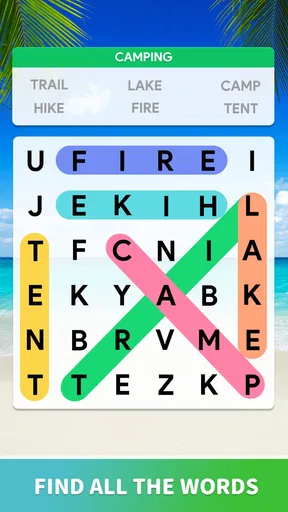
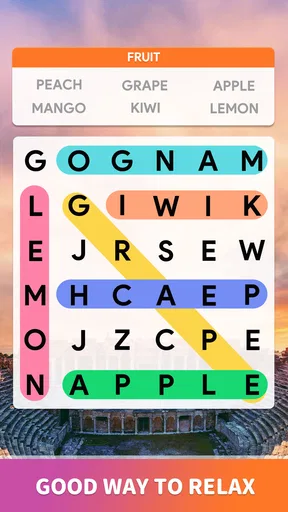
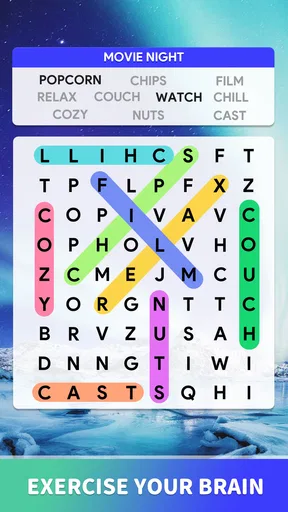
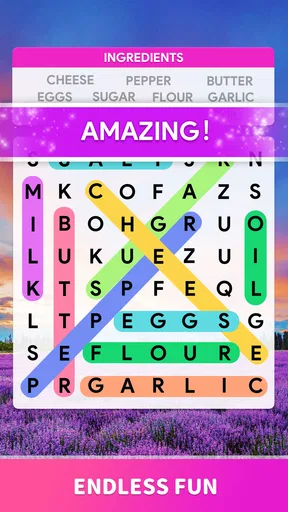
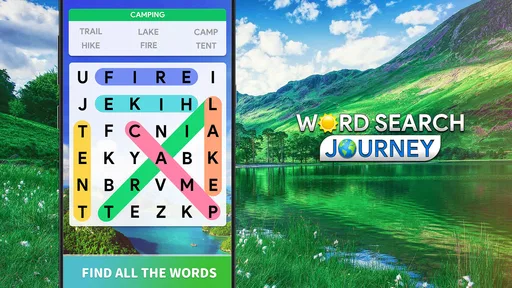
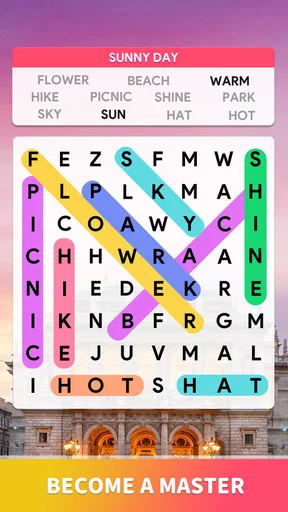
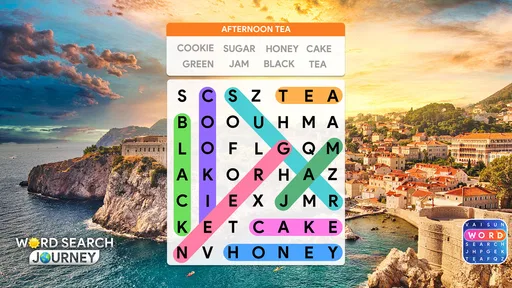
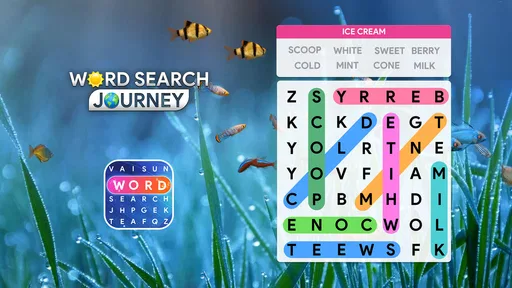
Our Review of Word Search Journey: Word Game
 Analysis by Appyee
I spent time with Word Search Journey: Word Game as a simple, relaxing word puzzle rather than something designed to demand constant attention. The idea is familiar: scan a letter grid, find the listed words, and continue through a journey of themed searches. What makes the experience appealing is how quickly it fits into small gaps in the day. I could play a short session while waiting, pause when my attention moved elsewhere, and return without having to remember a complicated story or control scheme.
This is a free word game from TOR Games, aimed at Everyone and available for devices running Android 7.0 or later. It has built a strong audience, with an average rating of 4.9 from around 6.5 thousand ratings and more than 100 thousand installs. Those figures do not make it automatically perfect, but they match my impression that the game understands what people expect from a casual word search: clear goals, low pressure, and puzzles that are easy to begin.
How I use the basic puzzle routine
The normal workflow is pleasantly direct. I look at the word list first, then scan the board for unusual letter combinations instead of trying to inspect every row from left to right. Once I spot a promising starting letter, I trace through possible directions and mark the word. That small change in approach matters because word searches can feel slow if I treat them as a random hunt.
I usually begin with the longest or least familiar word. Short words are easy to overlook because they can blend into many parts of the grid, while a longer word gives me a useful visual anchor. After finding it, the remaining board often looks less crowded. This is one of the most practical habits for getting more from the game, and it does not require any special feature or purchase.
The journey format gives the puzzles a sense of progression without making the game difficult to understand. I do not need to learn a character build, manage equipment, or follow a complicated narrative before I can enjoy a round. That makes it a good choice for someone who wants a word activity rather than a large mobile game competing for daily attention.
A realistic use case is a short evening break. I can open a puzzle after finishing a task, solve as much as I want, and stop before the session becomes tiring. It also suits travel or waiting rooms because the central action is readable and self-contained. I would not choose it for a group gathering, since the design is primarily for individual play, but it works well as a quiet personal pastime.
The game is also approachable for players who are not confident with word puzzles. The rules are immediately visible, and the board gives constant visual feedback as I work. Younger players can understand the objective quickly, while adults may appreciate the gentle concentration involved. The Everyone rating reflects that broad accessibility, although parents should still remember that optional purchases are available.
The first habit that saves the most time
My best starting routine is to separate recognition from tracing. First, I search for the distinctive letters in the word list. Then I check the surrounding spaces in every direction. Trying to drag immediately after seeing the first letter often leads to false starts, especially when several similar words are present. A brief pause to identify the likely path makes the board feel more manageable.
I also avoid clearing the list in a fixed order. The game does not reward me for beginning at the top, so I choose the word that looks easiest to confirm. This creates momentum and reduces the feeling that I am stuck on one awkward entry. When only a few words remain, I switch from broad scanning to checking the exact lines that still contain plausible letter sequences.
Another useful technique is to use the shape of a word, not only its spelling. If a word contains repeated letters, I look for those repeated points before following the entire sequence. If it has a rare letter, I search for that letter first. This is particularly helpful when the grid is busy, because it turns a large visual field into a smaller set of likely locations.
Settings and controls worth checking early
I recommend opening the available settings before settling into a long session. Even in a straightforward word game, small choices around sound, visual comfort, and interaction can affect whether a puzzle feels relaxing or irritating. The exact options may vary with the installed release, so I would check what appears on the device rather than assuming every phone presents the same controls.
Sound is the first thing I consider. If I am playing in a waiting area or beside someone who is sleeping, I prefer a quiet setup. If I am at home, feedback can make each completed word feel more satisfying. The important point is that this game works perfectly well as a low-distraction activity, so I do not feel forced to keep audio on.
Screen comfort matters more than many players expect. Word grids require sustained visual attention, and a bright display can make a supposedly calming session tiring. I lower the phone brightness when appropriate and make sure the device is held at a distance where the letters remain clear. This is not an in-game trick, but it is a practical part of using a letter-search game comfortably.
I also check whether the current version behaves smoothly on my particular device. The listed current version is 1.0.16, and the minimum operating system is Android 7.0. Keeping the app updated through the normal store process is sensible, especially if a control feels different after an update. I would not judge the whole game from a single older installation if the device has not been refreshed for some time.
Because the game is free to start, I can test the basic experience without committing money. The in-app purchase range runs from $0.99 to $89.99 per item, so I would be careful around any purchase prompts. A useful personal rule is to play several sessions before deciding whether optional content or assistance is worth paying for. That keeps the free experience separate from impulse spending.
How I keep the interface from interrupting the puzzle
I treat every prompt as something to read rather than tap automatically. In casual games, it is easy to move through a screen quickly and accidentally select an option I did not intend to use. Taking a second to check whether a button continues the puzzle, opens help, or leads toward a purchase is a small habit that prevents frustration.
I also avoid using assistance at the first sign of difficulty. A difficult board is often solved by changing the search method: I may look for the final letter instead of the first, rotate my attention toward diagonals, or inspect the remaining word lengths. Saving help for a genuine dead end makes the solution feel earned and gives me a better sense of which patterns I missed.
For younger players, I would show them the basic controls once and then let them develop their own search rhythm. The game is simple enough to learn by doing, but children may benefit from being reminded that they do not need to rush. For older players or anyone with visual fatigue, short sessions and larger viewing distance are more useful than trying to force a puzzle to completion in one sitting.
Faster search patterns that actually help
Speed in a word search does not come from moving a finger faster. It comes from reducing the number of places I need to inspect. I begin by locating rare or visually distinctive letters, then test the directions around them. This is more efficient than sweeping across the entire board because a distinctive letter usually produces fewer possible starting points.
I pay particular attention to the edges and corners after checking the center. Players often focus on the middle because it feels easier to see, but words can begin near the border and extend inward or along the edge. A deliberate edge pass prevents me from repeatedly returning to the same central area while ignoring a simple answer elsewhere.
Direction changes are another common source of wasted time. I do not assume that every answer runs horizontally. I check vertical and diagonal lines as well, especially when a word refuses to appear during a normal left-to-right scan. When I find one word in an unusual direction, I become more alert to that same type of placement in the remaining board.
There is also value in reading the list as a set. If several words share a beginning or ending, I search for the shared letters first and then compare the nearby continuation. This is faster than treating each word as completely separate. It also helps when the visual design makes individual letters easy to confuse.
A repeatable routine for difficult boards
When I reach a stubborn puzzle, I use a three-pass routine. On the first pass, I find the longest words and any word containing an uncommon letter. On the second, I inspect every direction around the starting letters I identified. On the third, I focus only on the entries still listed and mentally cross out locations that have already failed. The process feels more controlled than repeatedly searching the whole grid.
I keep my finger movement deliberate. A fast swipe can pass over the correct path or make it harder to see where the selection began. I start exactly on the first letter, follow the line steadily, and release only after reaching the final letter. This is especially useful on a small phone screen, where precision is more important than speed.
If I am still stuck, I take a short break instead of staring at the same arrangement. Returning with fresh attention often reveals a word that was visible all along. This is one reason the game works well as a relaxation tool: there is no benefit in turning every puzzle into a contest against myself. The best session is the one that remains enjoyable.
Experienced players may want to create a personal pattern library. I remember whether I tend to miss diagonal words, reverse-looking arrangements, or short entries hidden near the border. After a few sessions, that observation becomes actionable. If I regularly miss diagonals, I begin each new board with a diagonal check rather than waiting until the end.
Where the game reaches its limits
The same simplicity that makes this title approachable can limit its appeal. I would not recommend it to someone looking for a deep competitive system, a rich narrative, or extensive strategic variety. The central pleasure is finding words in grids, and players who need frequent mechanical change may eventually want a different type of puzzle.
It is also not the best choice for someone who dislikes optional purchase prompts or prefers a completely paid experience with everything unlocked from the beginning. The game costs nothing to start, but the presence of purchasable items means I would pay attention during navigation. Players who are especially sensitive to monetization should decide in advance whether they are comfortable using only the free portion.
Another limitation is the physical nature of the task. Searching letters on a phone can be tiring for people who have difficulty reading small text or maintaining focus on a dense grid. Adjusting device brightness and taking breaks helps, but it does not change the fact that the game depends on visual scanning. Someone seeking an audio-led or hands-free word experience should look elsewhere.
The journey structure gives the activity direction, but it does not transform it into a social game. I can compare my own progress informally, yet the core experience remains solitary. For a family activity, a printed puzzle book or a shared tabletop word game may be better because everyone can look at the same board and solve together.
I would also skip it when I want a short burst of high-energy entertainment. This is a measured, concentration-based game. Its strengths appear when I want to slow down, not when I want rapid action or constant surprises. That distinction is important because a highly rated casual title can still be the wrong match for a particular mood.
Who gets the most value from it
I think it is strongest for casual puzzle players, learners who enjoy building visual word recognition, and anyone who wants an uncomplicated activity between larger tasks. It is easy to recommend to a friend who likes word searches but does not want to study complicated rules. The free entry point also makes trying it straightforward, provided the optional purchases are treated carefully.
It can be useful as a mental reset after work. I might play one board after a long stretch of reading or screen-based tasks, using the different kind of attention required by the grid to break the routine. That does not make it a productivity tool, but it can serve as a small, structured pause that feels more purposeful than endlessly scrolling.
Players who prefer traditional puzzle books may appreciate the familiar objective but miss the physical page. In that case, this game is better viewed as a portable alternative rather than a replacement. It offers convenience and quick access, while paper puzzles may provide a calmer environment with fewer digital interruptions.
Compared with crossword games, this one asks less of me in terms of clues and general knowledge. I do not need to construct an answer from a definition; I need to recognize and trace words already presented. Compared with anagram games, it emphasizes visual scanning instead of rearranging letters. That makes it a gentler option, though perhaps less satisfying for someone who wants vocabulary deduction.
My verdict after building a steady routine
Word Search Journey: Word Game succeeds because it does not make the basic word-search idea harder than necessary. I can open it, understand the board, and begin looking immediately. The most satisfying sessions come from using a consistent method: start with distinctive words, check all directions, inspect edges, and reserve assistance for genuine dead ends.
TOR Games has positioned this as a free, Everyone-rated word game, and I think that description fits its practical audience. The strong 4.9 average and roughly 6.5 thousand ratings suggest that many players find the formula appealing, while the install count of over 100 thousand shows that it has reached a meaningful casual audience. I would still treat ratings as a starting signal rather than a guarantee, because the right choice depends on whether you enjoy visual searching.
The current release, 1.0.16, supports Android devices from version 7.0 onward. That gives it a broad technical starting point for compatible Android users, while iOS readers should check the relevant version of the app through their usual store. In either case, I would try the free experience first, review the available settings, and decide whether the pace suits me before considering any optional item.
My final recommendation is positive, with clear boundaries. I would suggest it to a friend who wants calm, portable word puzzles and enjoys improving through small habits rather than complex strategy. I would not suggest it to someone seeking multiplayer competition, story-driven progression, or a fully purchase-free environment. For the right player, though, it is an easy game to return to: familiar enough to start instantly, varied enough to reward better scanning, and relaxed enough to fit naturally into everyday breaks.
Verdict
Strengths of Word Search Journey: Word Game
- Relaxing gameplay suitable for short breaks or longer sessions.
- Large variety of word puzzles helps prevent the experience from feeling repetitive.
- Simple controls make it accessible for players of different ages.
- Offline play is useful when traveling or without a stable connection.
- Progressive difficulty offers a gentle challenge as your skills improve.
Limitations of Word Search Journey: Word Game
- Some puzzles may feel too easy for experienced word-game players.
- Hints or extra assistance may be limited without watching ads or spending currency.
- Repeated themes and layouts can make later levels feel familiar.
- Small text may be difficult to read on compact phone screens.
- Ads may interrupt the flow between puzzles, depending on the version.
Similar Picks in This Category
View All
Word Search - Word Puzzle Game
Bluetile4.8

Word Search Quest - Puzzles
Blackout Lab4.8

CodyCross: Crossword Puzzles
Fanatee, Inc.4.7

Words of Wonders: Crossword
Fugo Games4.9

Wordscapes: Word puzzle game
PeopleFun4.7

Word Search Explorer
PlaySimple Games4.9
Frequently Asked Questions
What is Word Search Journey: Word Game?
Word Search Journey: Word Game is a casual puzzle app centered on finding hidden words in letter grids. Each level presents a themed board where you connect or trace letters to complete the required words. The journey-style format usually introduces new destinations, themes, and increasing challenges, making it suitable for short play sessions as well as longer relaxing gaming periods.
Is Word Search Journey: Word Game free to download and play?
The game can generally be downloaded and played without an upfront purchase, but free-to-play versions may include advertisements, optional in-app purchases, or both. Some purchases can provide hints, remove ads, or unlock additional content. Before downloading, check the current store listing for the exact pricing, subscription details, and whether any features require payment.
Does Word Search Journey: Word Game work offline?
Many word-search levels may be playable without a continuous internet connection once the necessary game data has been installed. However, an internet connection may still be needed for advertisements, cloud synchronization, updates, special events, or in-app purchases. Offline availability can vary between versions and devices, so it is best to test the game after installation rather than assume every feature works offline.
Is Word Search Journey: Word Game suitable for children and beginners?
The simple controls and familiar word-search format make the game approachable for beginners, casual players, and people who enjoy vocabulary puzzles. Difficulty can increase as levels progress, so younger children may need help with longer or less common words. Parents should also review the app’s age rating, advertising, in-app purchase options, and privacy information before allowing unsupervised play.
What should I know about ads, hints, and game progress?
As with many free puzzle games, Word Search Journey: Word Game may use advertisements and offer hints or other assistance when a level becomes difficult. Hints can be useful, but they may consume an in-game currency or require watching an ad. Progress-saving options may depend on the device or account, so consider checking whether cloud backup is available before changing phones or reinstalling the app.
Play our best games!


